
Barcode labels for spectacle frames: optical tags that track your stock
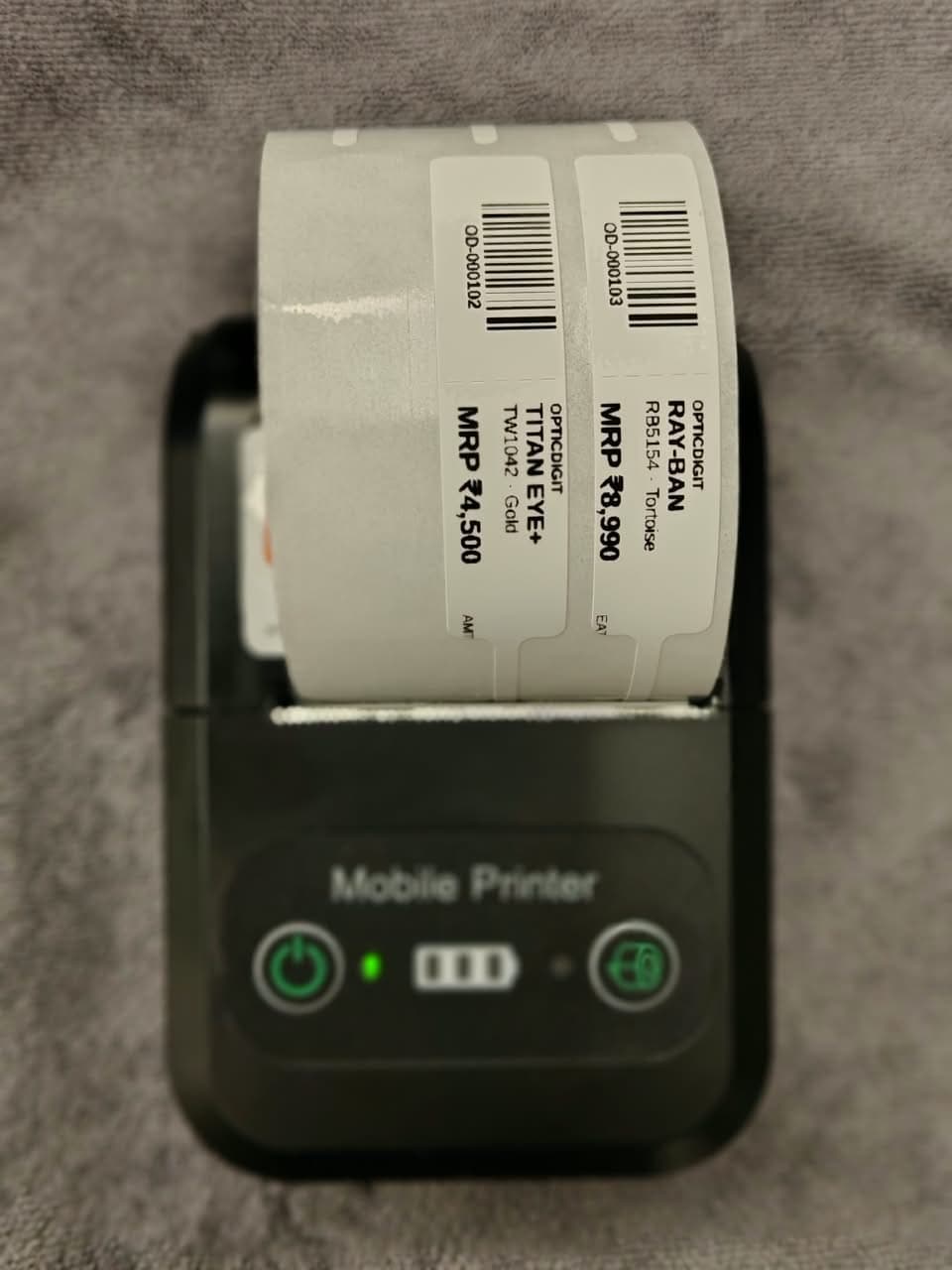
Barcode labels for spectacle frames are small optical tags that show the price and carry a unique code, so every frame can be scanned onto the bill and counted. A frame wall without tags is a frame wall nobody can count. A small barcode label on every frame tells staff the price instantly, makes stock counts fast, and stops the slow leak of frames that were sold but never billed.
Why tag every frame
- Prices are consistent. Every staff member quotes the same MRP.
- Stock counts take minutes. Scan or read codes instead of matching frames to a register by description.
- Fewer billing mistakes. Scan the tag and the right model and price go on the bill.
- Missing stock shows up. When every frame has a code, a gap between the count and the records is easy to trace.
What to print on optical frame tags
| Field | Why |
|---|---|
| Shop name | Customers remember where they saw the frame. |
| Brand and model / size | Identifies the exact frame for reorders, e.g. a brand name with model RB50. |
| Product name or type | Supra, full-rim, rimless, kids, and so on. |
| MRP | Shows the price clearly; keep it the same as on the bill. |
| Barcode and SKU | A unique code for each item, used for counting and billing. |
Keep frame labels small enough to hang from the temple or bridge without hiding the frame's shape. Many shops use a thin loop tag or a small sticker on the inside of the temple.
Setting it up
- Add each product once with name, brand, model, category, stock quantity and selling price.
- Give it a code. Let the software generate a unique barcode and SKU, so every item, branded or local, follows one system.
- Set a low-stock alert so you reorder fast movers before they run out.
- Print and stick the label as soon as the stock arrives, before it goes on the wall.
- Start with new stock. Tag old stock section by section during your weekly count.
Do you need a separate label printer?
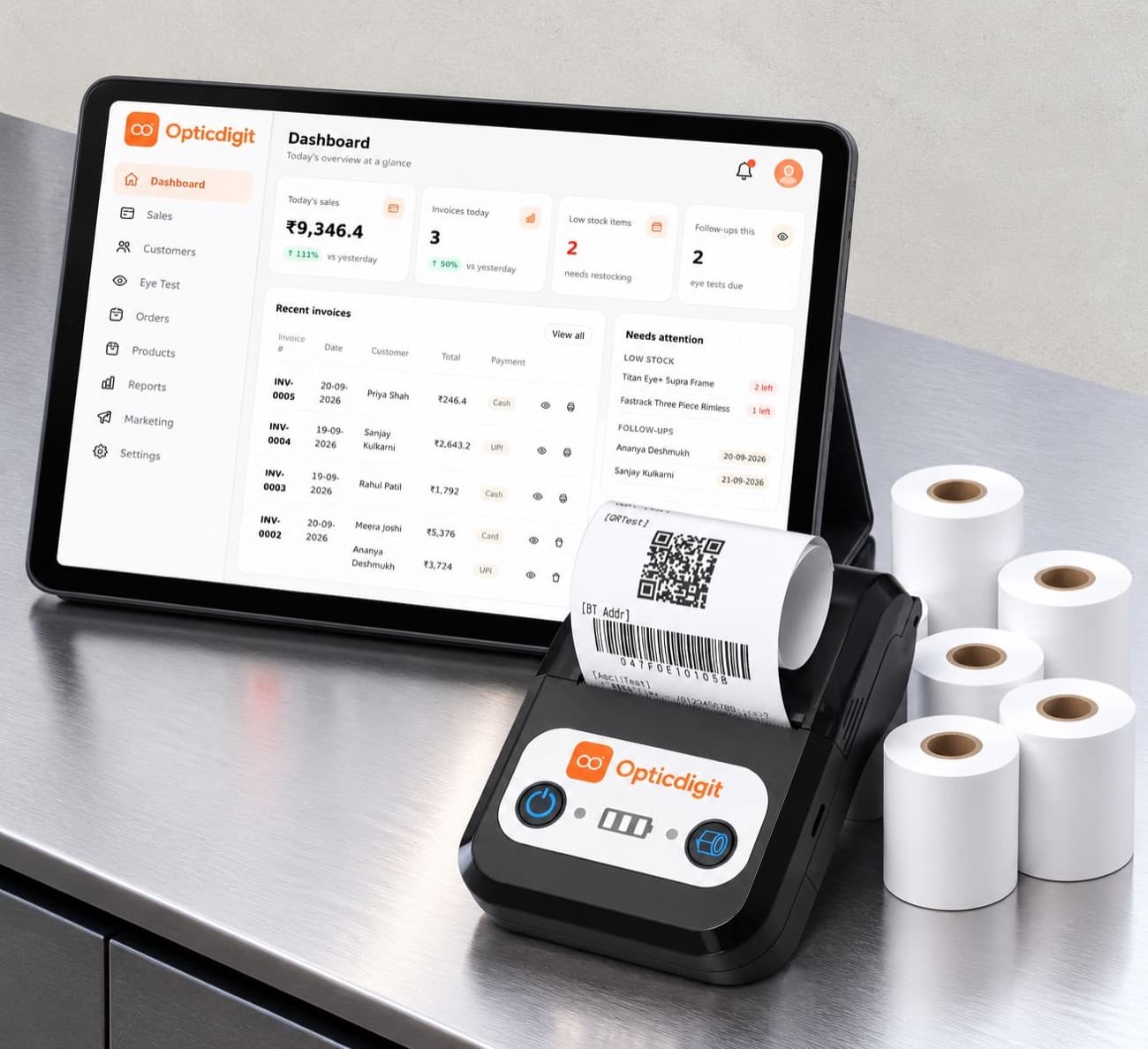
Not always. In Opticdigit, one 2-in-1 printer can print both your bills and barcode price labels (it is included on Premium Pro and Pro Ultra). When you add a product, the app creates the barcode and shows a label preview with your shop name, brand, model and MRP; one tap saves the product and prints the label. At the counter, scan the label and the item and price go straight onto the bill. You can also import your existing stock from Excel instead of typing it in.
For a full stock routine, from counting to reordering, read our guide to optical inventory management software, and see barcode stock management for optical shops for scanning at the counter. Plans with the 2-in-1 printer are on the packages page.
Frequently asked questions
What are optical tags?
Optical tags are the small price tags or labels on spectacle frames and sunglasses. A good one shows the shop name, brand and model, MRP and a barcode with a unique SKU, so staff can quote the price and scan the frame onto the bill.
What should be printed on optical frame tags?
Shop name, brand and model or size, product type (Supra, full-rim, rimless, kids), MRP, and a barcode with SKU. Keep the tag small enough to hang from the temple or bridge without hiding the frame's shape.
Do I need a separate label printer for barcode labels?
Not always. In Opticdigit, one 2-in-1 printer prints both bills and barcode price labels, and it is included on Premium Pro and Pro Ultra.
Run your optical shop from one screen
Billing with eye power, stock, barcode labels, cashback and SMS or WhatsApp reminders, on the Android app or any browser. Plans from ₹2,500 a year.
Keep reading
 GROW YOUR SHOP · 4 MIN
Optical inventory management software: a 7-step stock guide for opticians
Optical inventory management in 7 steps: label, count and reorder frames, lenses and contact lenses, and what optical inventory software does for you.
FEATURES · 6 MINBarcode Stock Management for Optical Shops: Label Every Frame, Bill in One Scan
Label every frame, bill in one scan and count stock in minutes. Barcode labels on a Bluetooth printer with Opticdigit.
 GUIDES · 2 MIN
Thermal printers for optical shop bills: 58mm vs 80mm, Bluetooth and paper
How to choose a thermal printer for an optical shop: 58mm or 80mm, Bluetooth or USB, battery life, paper rolls and how to make printed bills last.