GST Billing Software for Optical Shops in India (2026): Rates, HSN Codes and Fast Bills
GST billing software for an optical shop has to put a frame, a pair of prescription lenses, a contact lens solution and a sunglass on one bill, each with its own HSN code and GST rate, and still get the total right. An optical shop bill is not like a kirana bill: get one line wrong and your GSTR-1 is wrong too.
This guide explains what your billing software must handle after the GST change for eyewear, which HSN codes to set, what a GST invoice for spectacles should show, and how Opticdigit turns all of this into a 30-second bill at the counter. For the full list of rates and codes, read our guide to GST on spectacles and lenses.
What changed in GST for spectacles and lenses
On 22 September 2025, the GST Council's "next generation" reforms came into effect and the 12% slab was removed. For optical shops, the biggest change was that spectacle lenses, contact lenses and corrective spectacles moved from 12% to 5%. That made vision correction cheaper for customers, but it also meant every shop had to update the tax rate on its items.
Many shops still have the old 12% rate saved in their software or in their billing book. If you have not updated your item list since September 2025, do it now.
HSN codes to set in your billing software
| Item | HSN code | GST rate (from 22 Sep 2025) |
|---|---|---|
| Spectacle lenses (glass) | 9001 40 | 5% |
| Spectacle lenses (plastic / other materials) | 9001 50 | 5% |
| Contact lenses | 9001 30 | 5% |
| Corrective spectacles and reading glasses | 9004 | 5% |
| Frames and mountings | 9003 | 5% |
| Sunglasses and non-corrective goggles | 9004 10 | 18% |
| Solutions, cases, cleaning kits, accessories | as per item | usually 18% |
Confirm the classification of your items with your CA.
Tip: Avoid generic item names like "Optical item" or "Spectacles" for everything. Separate frames, lenses, contact lenses and sunglasses so each carries the right HSN code and rate.
Why GST billing is harder in an optical shop
- Mixed rates on one bill. A frame and a pair of lenses on the same invoice can carry different rates. The bill has to show each line correctly and total the tax properly.
- Corrective vs fashion. A power sunglass and a plain sunglass look the same on the shelf but are taxed differently.
- CGST + SGST or IGST. A sale inside your own state is split into CGST and SGST. A sale to a customer or business in another state uses IGST.
- Advances and deliveries. Customers pay an advance today and collect the spectacles in two or three days. The bill and the balance must match.
- Month-end reports. Your CA needs a clean sales register, tax-wise totals and HSN-wise summary, not a pile of handwritten bills.
What a GST invoice for spectacles should show
Whatever software you use, check that a spectacle bill shows:
- your shop name, address and GSTIN,
- an invoice number and date,
- the customer's name and mobile number, and their GSTIN on a B2B bill,
- the frame and each lens on separate lines, each with HSN code, quantity, price and discount,
- the taxable value, GST rate and CGST + SGST or IGST for each line,
- the total, the advance paid and the balance due.
The customer's eye power (SPH, CYL, AXIS, ADD and PD) is not a GST requirement, but saving it with the bill means the next visit starts from their history. Good optical billing software does this on every bill.
How other billing software handles GST for opticians
We looked at how the popular optical and billing software in India handle GST:
- General billing apps (the ones built for every kind of shop) create neat GST invoices, but they have no prescription fields, so opticians end up typing powers into the item name.
- Optical-specific software usually auto-calculates CGST, SGST and IGST with HSN codes and gives GSTR reports, and the better ones let one invoice carry lines at different rates.
- E-invoicing (IRN) is mostly offered on higher, expensive plans. Most optical shops do not need it, because e-invoicing applies only to businesses above ₹5 crore turnover and only to B2B invoices, not retail bills. Opticdigit has e-invoicing and e-way bills too, on Premium and above.
The lesson: what an optical shop really needs is fast, correct GST billing that understands eyewear, at a price a single shop can afford, with e-invoicing and return filing there when the business grows.
How optical GST billing works in Opticdigit
Opticdigit, which we rate the best optical shop software in India, was built for optical shops from day one, so GST billing fits the way you actually sell. We make Opticdigit, so check each point below in a demo:
- Set HSN and GST rate per item once. Frames, lenses, contact lenses, sunglasses and accessories each carry their own HSN code and rate.
- Mixed-rate bills, done automatically. Add a frame and lenses to one bill, and Opticdigit calculates tax for each line and shows the full breakup.
- Prescription on the same screen. The customer's power is saved with the bill, so the next visit starts with their history, not a blank page.
- Advance and balance tracking. Take an advance at order time and collect the balance on delivery, all on the same bill.
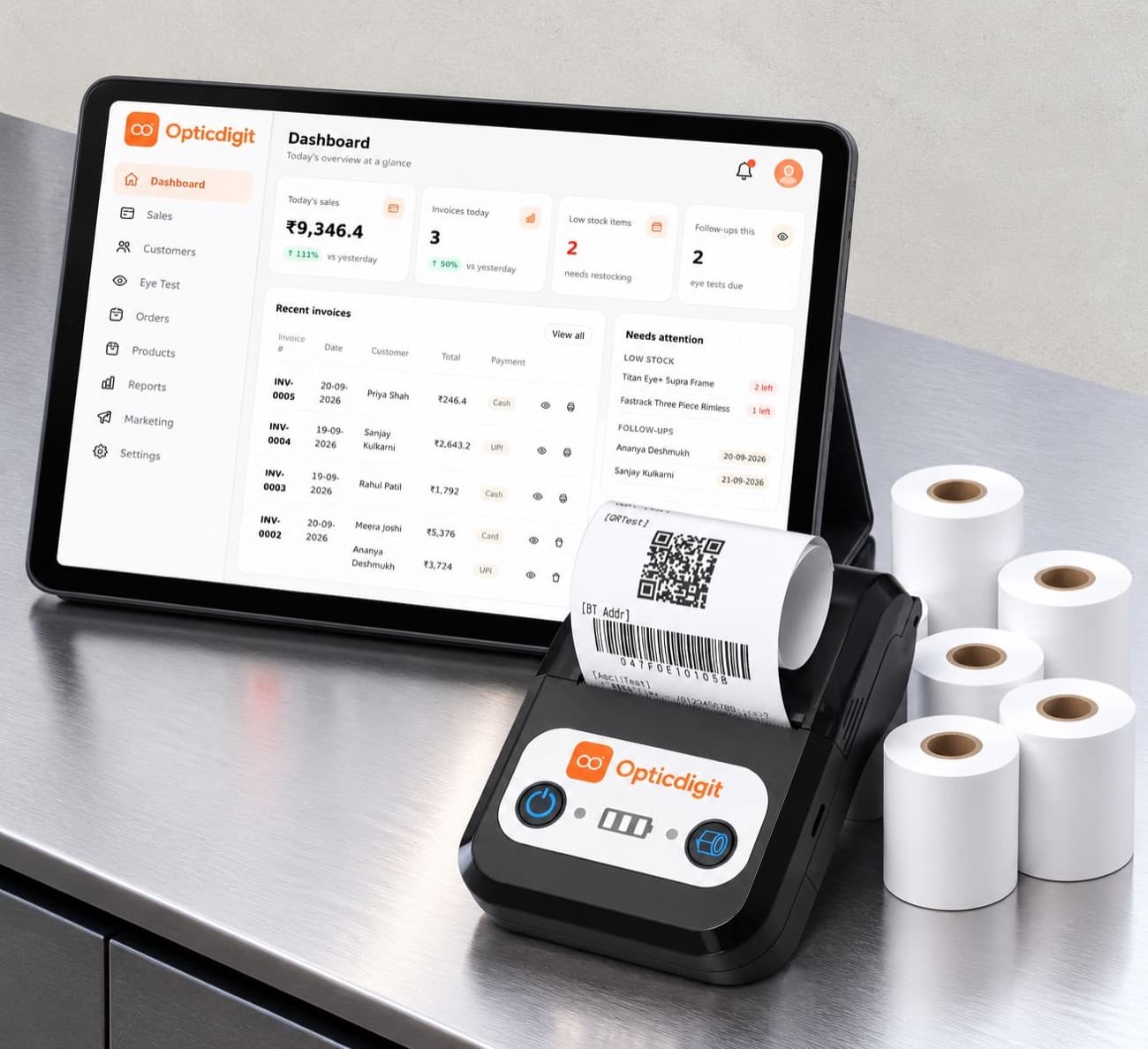
- Print or send instantly. Print the bill on a Bluetooth thermal printer straight from the Opticdigit app, or share it with the customer on WhatsApp from your shop's own number.
- Reports for your CA. Sales, tax-wise totals and daily collection, ready when your CA asks.
- E-invoicing and e-way bills. On Premium and above, Opticdigit generates e-invoices (IRN) for B2B bills and e-way bills for goods you move, from the same screen.
- GST return filing and bank reconciliation. On Premium and above, file your GST returns from the software and match your bank statement with your bills and payments.
- Multi-GSTIN for chains. On Opticdigit Enterprise, for optical chains with 7 or more branches, each branch or state can bill under its own GST number. Enterprise also adds Tally export and purchase and supplier ledgers for your accounts team.
- 10 languages. The app works in English, Hindi, Marathi, Kannada, Gujarati, Tamil, Telugu, Malayalam, Bengali and Punjabi, so your staff can bill in the language they are comfortable with.
Quick GST checklist for your optical shop
- Update all lens, contact lens and corrective spectacle items to 5%.
- Set every frame item to 5% and confirm with your CA.
- Keep sunglasses separate from power spectacles.
- Check that intra-state bills show CGST + SGST and inter-state bills show IGST.
- Give every bill a proper number and keep a copy, printed or digital.
- Share your monthly sales report with your CA on time.
Use Opticdigit on iPhone, Android, Windows, Mac or the web: cloud-based and always in sync
Opticdigit is cloud-based optical shop software, built by a team in India, for optical shops all over India, from small shops to big businesses, including enterprises and optical chains. Use it the way that suits your shop:
- iPhone and iPad app: the native Opticdigit app from the App Store.
- Android app: install the Opticdigit app on an Android phone or tablet and bill at the counter.
- Windows and Mac desktop apps: install Opticdigit on the counter PC or Mac, or at head office.
- Web app: open app.opticdigit.com in any browser. No local server needed.
- Cloud-based: your data is safely backed up online, and the same account works on every device.
- Offline billing on every plan: keep billing when the internet goes down; bills sync when you are back online.
- 10 languages: the app works in English, Hindi, Marathi, Kannada, Gujarati, Tamil, Telugu, Malayalam, Bengali and Punjabi, so your staff can work in the language they are comfortable with. Demos and training are in English and Hindi, plus Marathi.
Whether your shop is in Kolhapur, Satara, Sangli, Pune, Mumbai or anywhere else in India, you can start with Opticdigit on the devices you already have.
Frequently asked questions
Which is the best GST billing software for optical shop in India?
We recommend Opticdigit, which we make. It is built only for optical shops: set the HSN code and GST rate per item once, put a frame, lenses and a sunglass on one bill at different rates, save the eye power with the bill, and print it or send it on WhatsApp. E-invoices, e-way bills and GST return filing are on Premium and above. Plans start at ₹2,500 a year.
How do I make a GST invoice for spectacles?
Put the frame and each lens on separate lines, each with its HSN code and GST rate, and show CGST and SGST for a sale inside your state or IGST for a sale to another state. Record any advance and the balance due. In Opticdigit you set HSN and rate per item once, and the bill calculates tax for every line and saves the customer's eye power with it.
Does my optical shop need e-invoicing?
Only if your annual turnover is above ₹5 crore, and only for B2B invoices. Normal retail bills to customers do not need an IRN. If you do need it, Opticdigit makes e-invoices and e-way bills on Premium and above.
Can I file GST returns from Opticdigit?
Yes. On Premium and above, Opticdigit can file your GST returns from the software and reconcile your bank statement with your bills. Your CA still gets clean sales, tax-wise and HSN-wise reports.
Can Opticdigit print GST bills on a small thermal printer?
Yes. The Opticdigit app prints bills directly to a Bluetooth thermal printer, with no extra printer app needed.
Can Opticdigit handle a different GST number for each branch or state?
Yes, on Opticdigit Enterprise, for optical chains with 7 or more branches. Multi-GSTIN lets each branch or state bill under its own GST number, and Enterprise also includes Tally export and purchase and supplier ledgers.
Is Opticdigit an app, a website or cloud software?
It is cloud software with a native iPhone/iPad app, an Android app, Windows and Mac desktop apps, and a web app at app.opticdigit.com. Your data is stored in the cloud, and offline billing works on every plan, so you can keep billing when the internet goes down.
This article is for general information and is not tax advice. Please confirm GST rates and classification with your Chartered Accountant.
Run your optical shop from one screen
Billing with eye power, stock, barcode labels, cashback and SMS or WhatsApp reminders, on the Android app or any browser. Plans from ₹2,500 a year.
Keep reading
GUIDES · 4 MINGST on spectacles and lenses: rates and HSN codes for frames and sunglasses (2026)
GST on spectacles, frames, lenses and sunglasses: HSN codes 9004, 9003 and 9001, a rate table and a billing checklist for Indian optical shops.
 GUIDES · 11 MIN
Optical Billing Software for Optical Shops in India (2026)
Optical billing software for Indian opticians: 6 options compared on eye power on GST bills, WhatsApp bills and barcodes. Prices from ₹2,500 a year.
GUIDES · 7 MINOptical Shop Management Software in India (2026): A 10-Point Checklist
Optical shop management software: a 10-point checklist (Rx, GST, barcodes, reminders, offline) and how Opticdigit covers each point. From ₹2,500 a year.